Unconfigured Ad Widget

Collapse

Announcement

Collapse
No announcement yet.

Have you aver unlocked ZTE MF30 and MF631?

Collapse
X
 
  • Filter
  • Time
  • Show
Clear All
new posts

  • Have you aver unlocked ZTE MF30 and MF631?

    As I understand, modem is unlocked by dasboard needs only operators SIM...

  • #2
    Originally posted by dcsha View Post
    As I understand, modem is unlocked by dasboard needs only operators SIM...
    I'd also be interested in whether the M30 has already been unlocked...

    Comment


    • #3
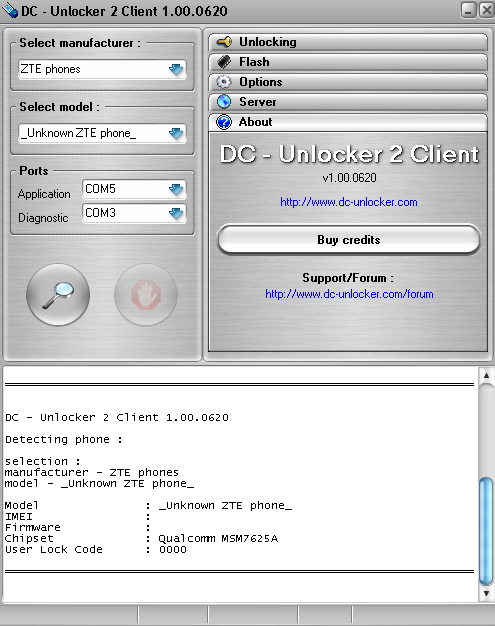
      ZTE MF30 is not supported. Could you try to detect it by dc-unlocker and copy here what is detected? Then we would cehck, maybe we can make it supported.
      MF631 is supported and can be unlocked by dc-unlocker.

      Comment


      • #4
        ZTE MF30 Unlock available?

        Comment


        • #5
          Originally posted by mf30user View Post
          Detect as modem, not as phone. It is not phone.

          Comment


          • #6
            I tried, but it did not find it. Gives me modem not found! message...

            Comment


            • #7
              Originally posted by mf30user View Post
              I tried, but it did not find it. Gives me modem not found! message...
              If you can not detect modem you should check the fallowing:
              Check, if the drivers are installed
              Check, if the connection software for this modem is closed and modem is not connected to internet
              Check, if you use autodetect function in dc-unlocker software
              Check, if you use latest dc-unlocker software version.

              Comment


              • #8
                Yes, I have done all of this.

                Originally posted by Vincentas View Post
                If you can not detect modem you should check the fallowing:
                Check, if the drivers are installed
                Check, if the connection software for this modem is closed and modem is not connected to internet
                Check, if you use autodetect function in dc-unlocker software
                Check, if you use latest dc-unlocker software version.

                Comment


                • #9
                  Originally posted by mf30user View Post
                  Yes, I have done all of this.
                  Sorry, if device can not be detected by dc-unlocker, we can not try to unlock it also.

                  Comment


                  • #10
                    Guys witch drivers have you used to connect the modem to your pc

                    Comment


                    • #11
                      Originally posted by robbinonline View Post
                      Guys witch drivers have you used to connect the modem to your pc
                      Drivers should install together with modem. Sometimes they come with modems software.

                      Comment


                      • #12
                        Originally posted by Gintas View Post
                        Drivers should install together with modem. Sometimes they come with modems software.
                        Not For this one

                        Comment


                        • #13
                          ZTE MF30 is now supported and can be unlocked with our latest DC-Unlocker client software. Download it here: http://www.dc-unlocker.com/downloads/get/FoJh1tGt

                          Comment


                          • #14
                            mf30 modem not found

                            hello, as many user have this same problem , support team please check for us
                            this is a mf30 from australia Telstra.
                            I tried different pcs, with XP or WIN7, it only can see one card read. and no software installed no icons in the devices.

                            DC - Unlocker 2 Client 1.00.0702

                            Detecting card :

                            selection :
                            manufacturer - ZTE modems
                            model - Auto detect (recommended)


                            modem not found !

                            Comment


                            • #15
                              Originally posted by snowtown View Post
                              hello, as many user have this same problem , support team please check for us
                              this is a mf30 from australia Telstra.
                              I tried different pcs, with XP or WIN7, it only can see one card read. and no software installed no icons in the devices.

                              DC - Unlocker 2 Client 1.00.0702

                              Detecting card :

                              selection :
                              manufacturer - ZTE modems
                              model - Auto detect (recommended)


                              modem not found !
                              Are you sure all drivers are fully installed and loaded?
                              Also, is there any other modems or phones software turned on at the detection time? If yes, please turn it off and try again.

                              Comment

                              Working...
                              X